
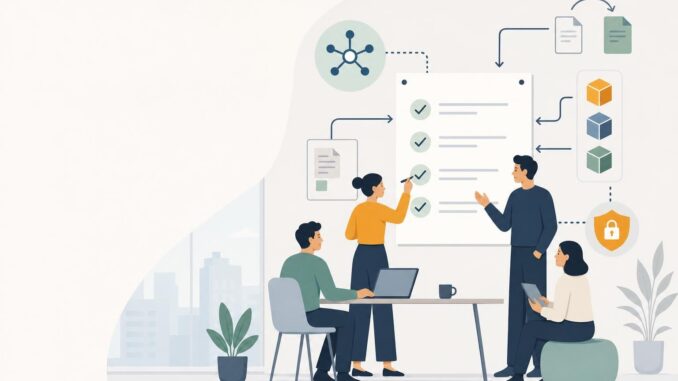
Regulation and scrutiny of AI tools are increasing. Small businesses that adopt AI—whether for chat, automation, hiring screens, or analytics—need practical, durable steps to reduce legal and operational risk. This guide gives a seven-step checklist you can apply now, plus two ready-to-use templates: a vendor vetting checklist and an incident log.
Seven-step AI regulation checklist
Follow these steps in order. Each step includes concrete actions you can complete without a large compliance team.
1. Inventory every AI use
What to do:
- Create a simple inventory sheet (spreadsheet or document) listing each AI tool or feature in use. Include: tool name, purpose, users, input data types, and output types.
- Examples: chat-based customer support, automated ad copy, resume screening, invoice OCR, or analytics models predicting demand.
- Tip: Assign a single owner for the inventory who updates it monthly.
2. Map data flows
Why it matters: Regulators focus on how data moves, especially personal and sensitive data. A clear map shows access points and risk.
- Sketch a simple diagram: sources (forms, CRM, uploads) → processing (AI tool, cloud service) → storage (database, third-party) → outputs (emails, dashboards).
- Record data types at each step: personal identifiers, payment info, health data, or aggregate metrics.
- Action: Mark any external transfers (vendor API calls, cloud storage outside your region) for special review.
3. Set minimal permissions and data minimization
Principle: Give tools only the data they need, and users only the permissions they require.
- Review API keys, service accounts, and app permissions. Remove unused keys and restrict scopes to read-only where possible.
- Implement data minimization: redact or exclude unnecessary personal fields before sending data to third-party AI services.
- Example: For an invoice OCR tool, send only invoice images and an internal ID—avoid attaching employee personal notes unless required.
4. Add human-in-the-loop (HITL) checks
Automations often need human oversight for safety and fairness.
- Decide where automated outputs must be reviewed before action (e.g., hiring rejections, credit decisions, legal messaging).
- Define roles: who reviews, what they check (accuracy, bias indicators, PII exposure), and approval criteria.
- Actionable step: Add a visible flag or confidence score in the UI so reviewers know when to inspect results closely.
5. Document vendor vetting and maintain records
You must be able to show why you chose a vendor and what you asked them.
- Use a vendor vetting checklist (template below) for every new AI supplier and keep completed copies in a folder linked to the inventory.
- Ask vendors about data retention, deletion policies, security certifications, and whether training data includes customer data.
- Note contractual protections: liability clauses, breach notification windows, and data handling requirements.
6. Prepare incident response and compliance logs
If an AI tool misbehaves or data is exposed, you need an incident process and a simple log to demonstrate prompt action.
- Create an incident response checklist: detect → contain → assess → notify → remediate → review.
- Keep an incident log (template below) that records timestamps, affected systems/data, actions taken, and communications.
- Practice one tabletop exercise annually with your team so roles are clear.
7. Build a simple communications and consent plan
Transparency with customers and staff reduces reputational risk and satisfies many regulatory expectations.
- List places you must disclose AI use (privacy policies, onboarding screens, job application forms, marketing). Draft short, plain-language explanations of how AI is used.
- Create a consent flow for any cases that require opt-in (e.g., using sensitive personal data for model training). Use a recorded checkbox with a link to details.
- Prepare templated responses for common incidents: a short public notice and a longer internal report for regulators or partners.
Vendor vetting checklist (template)
Use this when evaluating or renewing any AI vendor.
- Vendor name: __________________________
- Tool purpose: __________________________
- Data types processed: __________________
- Is customer data used to train vendor models? Yes / No / Unsure — ask for details
- Data retention policy: ____________________
- Data deletion process: ____________________
- Access controls and encryption: Describe
- Incident notification timeline: __________________
- Contractual liability limits: Describe
- Third-party audits or certifications: List
- Business continuity/backups: Describe
- Decision on procurement: Approve / Conditionally approve / Decline — Notes
Incident log (template)
Keep this log in a shared, access-controlled location. Each incident gets a new entry.
Incident ID:
Date/time detected:
Detected by:
Systems affected:
Data types affected:
Summary of issue:
Immediate containment steps:
Users/customers notified (yes/no):
Regulators or partners notified (yes/no):
Remediation actions:
Post-incident review notes:
Owner/point of contact:
Low-cost tooling options and approaches
You don’t need enterprise systems to start. Consider these low-cost or built-in options to implement the checklist:
- Inventory & logs: spreadsheets, Google Sheets, or a Notion template for tracking tools and incidents.
- Vendor records: shared folders (Google Drive, OneDrive) with access controls plus a simple naming convention for vetting documents.
- Consent & forms: Google Forms, JotForm, or your website CMS for short consent flows and recordkeeping.
- Access & secrets: password managers that support teams (e.g., Bitwarden) and scoped service accounts in cloud consoles.
- Human review workflows: ticketing or task tools like Trello, Asana, or built-in CRM tasks to route outputs to human reviewers.
Limitations and practical cautions
This checklist is practical but not a substitute for legal advice. Limitations to keep in mind:
- Regulatory requirements vary by jurisdiction and industry; consult counsel when processing highly sensitive data or operating across borders.
- Some vendors may be opaque about model training and retention—document your questions and escalate unclear answers before procurement.
- Smaller teams may struggle with continuous monitoring; prioritize high-risk AI uses (decisions affecting finance, hiring, health, or safety) for stricter controls.
Conclusion
Start with the inventory and data-flow map, then apply the remaining steps iteratively. The goal is demonstrable care: clear records, minimized data exposure, human oversight, and ready incident logs. These measures reduce risk, prepare you for audits, and make it easier to adapt as rules evolve.
FAQ
Q1: How often should I update the AI inventory?
Update the inventory whenever you add or remove a tool, and schedule a review at least quarterly. More frequent reviews make audits and incident responses much easier.
Q2: Do I need a lawyer to follow this checklist?
Not to start. You can implement many steps yourself. Consult legal counsel when you handle regulated data, face cross-border transfers, or when contracts and liability questions arise.
Q3: Which AI uses are highest priority to control?
Prioritize uses that affect people directly—hiring, credit, health, legal advice—or that process sensitive personal data. These typically carry the highest regulatory and reputational risk.
Q4: What if a vendor refuses to answer vetting questions?
Document the refusal and consider alternatives. Lack of transparency is a valid procurement concern—either negotiate contractual protections or select a different provider.