
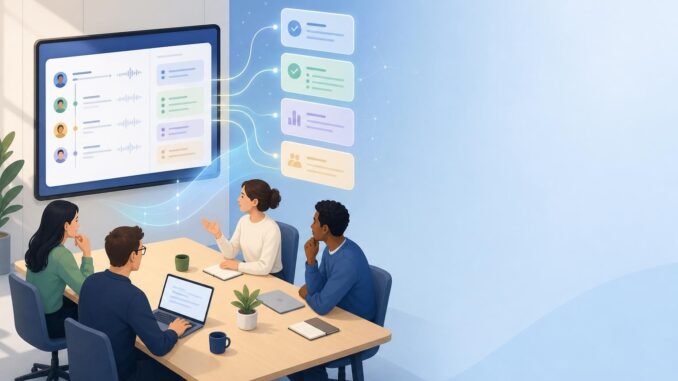
Meetings are productive only when their outcomes are clear and acted on. An AI meeting summaries workflow turns spoken discussion into concise, actionable records that teams can use. This tutorial walks you from tool selection through recording, transcription, retrieval-augmented notes (RAG), prompt templates that create action-oriented summaries, QA methods to reduce hallucination, and simple automations to push summaries to Slack, email, or task trackers.
Quick workflow overview
At a high level, build this workflow in six stages: select recording and transcription tools; capture the meeting reliably; clean and timestamp the transcript; enrich or link notes (RAG) with slide decks and documents; run the summarization step with a tested prompt; and automate distribution to stakeholders and task systems. Below are practical steps, examples, and caveats for each stage.
1. Choose tools and architecture
Decide whether you want a cloud-based, integrated solution (meeting + transcription + AI summarization) or a modular pipeline you control. Integrated tools are faster to deploy; modular pipelines give more control over data and accuracy.
- Integrated option: Use a meeting platform or service that records and transcribes and offers built-in AI summaries. Pros: fast setup. Cons: less control over prompts and QA steps.
- Modular option: Record with your meeting app, send audio to a transcription service or API, store transcripts and related files in a document store, then call an LLM for summarization via API. Pros: flexible and auditable. Cons: requires more setup.
Key selection criteria: audio quality, speaker diarization, timestamped transcripts, exportable transcripts, API access, and data retention controls.
2. Recording and capture best practices
Good summaries start with good audio. Use these simple rules:
- Always record (with consent). Confirm participants know how the recording will be used and stored.
- Use a stable host link or a dedicated room microphone for hybrid meetings to reduce background noise.
- Enable speaker diarization if available—knowing who spoke helps produce clearer action items.
- Capture associated artifacts (presentation slides, shared docs, chat logs) and attach them to the meeting record for RAG enrichment.
3. Transcription and prep
Transcription turns audio into searchable, timestamped text. Practical steps:
- Choose a transcription service with timestamps and speaker labels. Export as JSON, SRT, or plain text with timestamps.
- Run a quick cleanup: remove obvious artifacts, fix speaker labels when diarization fails, and align timestamps to agenda items if possible.
- Segment long meetings into 5–10 minute chunks or by agenda items—this reduces prompt length and helps the model focus.
Example: split a 60-minute meeting into six 10-minute segments and summarize each before aggregating into a meeting-level summary.
4. Retrieval-augmented notes (RAG) and context
RAG means providing the model with relevant documents or slide excerpts alongside the transcript. This reduces hallucination and keeps summaries grounded in source material.
- Index slide decks, shared docs, and previous action items in a lightweight vector store or attach them directly to the summarization prompt when small.
- For larger sources, retrieve only the most relevant passages (by agenda item or keyword) and pass those as context.
- Keep a clear provenance link in the final summary (e.g., “See slide 4” or “Refer to proposal v2”).
5. Prompt templates and summary style
Good prompts make the difference between verbose logs and usable action summaries. Use a two-step summarization: segment-level summaries, then an aggregation pass that produces a concise, action-focused meeting summary.
Segment-level prompt template (use for each 5–10 minute chunk):
Summarize the following meeting segment (timestamps included). Output JSON with: 1) key decisions, 2) action items (person, due date if mentioned, short description), 3) open questions, 4) topics touched and short context. Keep answers concise.
Aggregation prompt template (run after collecting segment outputs):
Using the list of segment summaries below, create a single meeting summary with: - one-line meeting objective, - consolidated action list (deduplicate, assign owners and sensible default due dates if none given), - three bullets for decisions, - two bullets for follow-ups and owners, - links to source artifacts. Mark any items that are unclear as "needs verification".
Formatting the summary as a structured JSON or short markdown makes it easy to route into tools and reduce ambiguity.
6. QA checks to reduce hallucination
LLMs can invent details. Add lightweight QA steps:
- Cross-check extracted action items against transcript timestamps: ensure wording and owner names appear near the timestamp.
- Flag items where the model inserts a confident owner or date that doesn’t exist in the transcript as “needs verification.”
- Use a simple confidence heuristic: if the summarization model’s output references a fact not present in the retrieved context, mark it for human review.
- Manually sample 1–2 summaries per week during early rollout to tune prompts and rules.
7. Automations to deliver summaries
Decide how people prefer to receive summaries—Slack, email, ticket systems, or tasks. Examples of automations:
- Slack: Post the one-paragraph summary to the meeting channel and DM the assigned action owners with tasks and links.
- Email: Send the meeting summary to attendees with the subject line [Meeting]
— Summary & Actions. - Task trackers: Create tasks in Asana, Trello, or Jira from the action list using the owner and due date fields.
Implementation options: use Zapier, Make (Integromat), or an internal serverless function that receives the final JSON and calls the target APIs. Keep retries and error logging simple: if task creation fails, send a follow-up email to the organizer.
Sample automation sequence
- Meeting ends → recording saved to cloud storage.
- Webhook triggers transcription service → transcript stored and indexed.
- Transcription triggers summarization pipeline (segment → aggregate) → produce final JSON summary.
- Router picks channels (Slack/email/tasks) and pushes formatted items; sends verification items to meeting owner when needed.
Example: Sales stand-up
Scenario: 20-minute sales stand-up with three attendees. Steps:
- Record meeting, transcribe with timestamps and speaker labels.
- Segment into two 10-minute chunks; summarize each segment with the segment prompt.
- Aggregate segments into a short summary with action items: “Follow up with Prospect X — Sam — by Friday.”
- Automate: post summary in #sales-standup channel and create a Trello card for each action with owner and due date.
Limitations and privacy considerations
Be mindful of these limitations:
- Audio quality and overlapping speech reduce transcription accuracy, which affects summaries.
- LLMs can still hallucinate; your QA steps should remain conservative—flag uncertain facts rather than accepting them.
- Data privacy and compliance: verify where audio and transcripts are stored and who has access. Obtain consent and set retention policies.
- Context limits: very long meetings or large document sets may require selective retrieval or human review to keep summaries accurate.
Plan for human-in-the-loop review for sensitive or high-stakes meetings until your pipeline proves reliable.
Conclusion
An effective AI meeting summaries workflow blends good capture, smart transcription, retrieval of relevant context, tested prompt templates, and simple QA and automation. Start small—pick a team, run the modular pipeline for a few weeks, iterate prompts and QA rules, and then expand. The payoff is fewer missed commitments, clearer decisions, and faster follow-up.
FAQ
How accurate are AI-generated meeting summaries?
Accuracy depends on audio quality, transcription fidelity, and how well you provide context. With clean audio, speaker labels, and RAG inputs, summaries are generally useful for action capture, but expect occasional errors. Use verification flags and human review for critical details.
Do I need developer resources to set this up?
No—integrated tools can get you started without code. For more control (RAG, custom prompts, automated task creation), modest developer or low-code automation work is useful but not strictly required.
How do I prevent the model from inventing people or dates?
Prevent hallucination by limiting model input to transcripts and linked documents, use prompts that instruct the model to only include items present in the input, and mark any inferred details as “needs verification.” Add a post-check that confirms owner names and dates against the transcript text.
What are quick metrics to judge success?
Track: 1) percentage of action items completed on time, 2) time from meeting end to distributed summary, 3) user satisfaction (simple weekly poll), and 4) number of QA flags or corrections. These show whether summaries are driving action.