
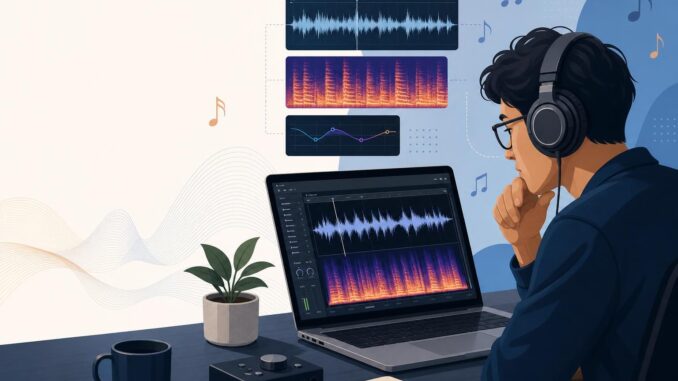
AI tools now create convincing vocal and instrumental tracks. That matters to musicians protecting their work and to fans trying to know what they’re listening to. This guide gives practical, repeatable checks you can run with free tools and your ears to estimate whether a recording was produced or heavily assisted by AI. It focuses on identifiable audio cues, simple forensic tests, metadata and provenance checks, and steps creators can take to document authenticity.
Detect AI‑Generated Music: an 8‑point practical checklist
Start with these tests in order. Each requires little equipment: a pair of headphones, a DAW or audio editor (Audacity or similar), and a spectrogram tool (many editors include one). Run as many checks as you can; combined results build a strong heuristic.
1. Listen for musical and lyrical inconsistencies
What to do: Put headphones on and listen twice—once casually and once focusing on small passages (verse transitions, breaths, consonants).
- Red flags: words that sound slurred or mispronounced, syllables missing, odd vowel shapes, or lyrical lines that repeat in unnatural patterns.
- Example: a verse where a singer suddenly swaps a consonant (“b” for “p”) or stumbles on names and rare words is suspicious—generative systems sometimes fail at fine-grained phonetics and rare tokens.
2. Check timing and micro‑timing
What to do: Open the track in a DAW, zoom into the waveform, and inspect the alignment of transients (drum hits, consonants, note onsets).
- Red flags: perfectly quantized timing across all parts, or conversely, oddly fluctuating micro-timing that doesn’t match human feel (e.g., inconsistent human errors).
- Actionable step: Reduce tempo to 50% and listen. If vocal breaths or consonants sound unnaturally even or phasey, suspect synthetic alignment or stitched audio.
3. Use a spectrogram to find spectral artifacts
What to do: Open a spectrogram view in your audio editor. Look at short sections where the vocal or instrument is isolated.
- Red flags: odd high-frequency smears, repeated spectral patterns, and unnatural harmonics that don’t decay like acoustic sources.
- Example: a vocal that lacks clear formant bands or shows repeated, identical spectral fingerprints across different notes suggests copy-paste or model-generated synthesis.
4. Test stereo and phase characteristics
What to do: If you have a stereo file, invert one channel and play the result (phase inversion). Human-recorded stereo fields usually collapse differently than synthetic stereo.
- Red flags: complete cancellation of vocals or instruments when channels are summed with one inverted suggests duplicated or artificially panned stems rather than natural room stereo.
- Actionable step: Export left-only and right-only versions; compare differences. Synthetic stereo is often overly identical on each side.
5. Inspect breaths, sibilance, and articulations
What to do: Zoom around vocal phrases and loop tiny sections that include breaths or fast consonant runs.
- Red flags: missing or mechanical-sounding breaths, over-smooth sibilance (“s” sounds), or sudden drops in articulation detail. AI vocals can produce unnatural consonant transitions or identical breath sizes across phrases.
- Actionable step: Compare suspicious breaths to known human recordings from the same singer or similar genre.
6. Evaluate harmonic consistency for instruments
What to do: Solo an instrument (or filter frequencies) and listen for transient shapes and harmonic decay.
- Red flags: instruments that lack realistic attack/decay, perfectly consistent vibrato, or harmonics that don’t shift naturally with pitch.
- Example: a violin line with identical vibrato depth and timing across several bars is unlikely from a live player.
7. Review metadata and distribution signals
What to do: Inspect the file’s metadata (ID3 tags, creation date, software tags) and the release path (platform, label, credits).
- Red flags: missing performer credits, odd production software tags, or minimal provenance (no stems, no session notes) for a major release.
- Actionable step: Ask the distributor or uploading account for stems, session files, or a statement of provenance if the track’s origin matters (e.g., contests or chart eligibility).
8. Cross‑check contextual and behavioral clues
What to do: Look at how and where the track appeared. Sudden anonymous releases, multiple versions with tiny differences, or rapid uploads across channels are signals.
- Red flags: a polished single uploaded with no supporting promotion, or several tracks with near-identical vocal timbres released by different anonymous accounts.
Tools, simple forensic tests, and step‑by‑step workflows
Tools to keep on hand
- Audacity or any DAW with waveform and spectrogram views (free options cover most checks).
- Sonic Visualiser or Praat for deeper spectral and formant inspections.
- Good closed-back headphones for detecting micro-artifacts.
Step-by-step basic forensic workflow
- Make a copy of the audio and work on the copy.
- Listen end-to-end, then note suspicious timecodes.
- Open a spectrogram and inspect the noted sections for repeated patterns or anomalous harmonics.
- Zoom into waveforms for transient alignment and transient shapes at 50% tempo.
- Run a phase inversion test on stereo pairs and note cancellations.
- Check metadata and release channels; request stems or session data if provenance is important.
For creators: documenting provenance and adding defenses
Provenance practices you can adopt
- Keep session files, track stems, and dated backups. A clear chain of production is the easiest way to prove a human contribution.
- Include explicit metadata: writer, performer, producer, DAW, and a simple production log (what was recorded, what was edited).
- Share stems or dry takes when appropriate—labels, publishers, and contest administrators often accept stems as proof.
Practical defense measures
- When distributing, embed descriptive metadata and a short author statement in the release package.
- Consider transparent public notes about which parts used AI assistance if you used generative tools. Transparency reduces disputes.
Limitations and realistic expectations
No single test guarantees a definitive answer. Models improve continuously, and skilled producers can mask many artifacts. Use the checklist as a practical heuristic: multiple red flags strengthen the case, while isolated anomalies can be the result of heavy editing, poor recording, or restoration work.
Also, legal and ethical interpretations vary—detecting AI assistance doesn’t automatically imply wrongdoing. Use detection primarily to inform questions you should ask (Who produced this? What tools were used?) rather than to make legal claims without further evidence.
Conclusion
Detecting AI‑generated music blends attentive listening, straightforward audio forensics, and provenance checks. With the checklist and simple tools above you can form a reasoned opinion about a track’s origin and take appropriate next steps—ask for stems, request production notes, or disclose your own use of generative tools. As models evolve, so will the methods, but these practical steps remain useful for musicians, fans, and small labels today.
FAQ
Can a single test reliably prove a track is AI‑generated?
No. A single indicator rarely proves anything on its own. Use multiple tests—spectrogram anomalies, phase behavior, timing, and metadata—together. If several checks raise concerns, you have a stronger basis to investigate further.
Are there automated detectors I can trust?
Automated detectors can help flag suspicious files quickly, but they are fallible and can produce false positives or negatives. Treat them as a first pass and verify flagged results with manual listening and forensic checks.
How should creators disclose AI assistance in music?
Best practice is transparency: note which parts used generative tools, keep stems and session records, and embed metadata. Clear provenance prevents disputes and helps platforms, labels, and listeners evaluate the work fairly.
What should I do if I suspect a chart-eligible release used AI without disclosure?
Document the issues you found (timecodes, files, screenshots of metadata) and contact the release platform, label, or contest administrator. Request stems or production logs. Avoid public accusations until you have clear supporting evidence.