
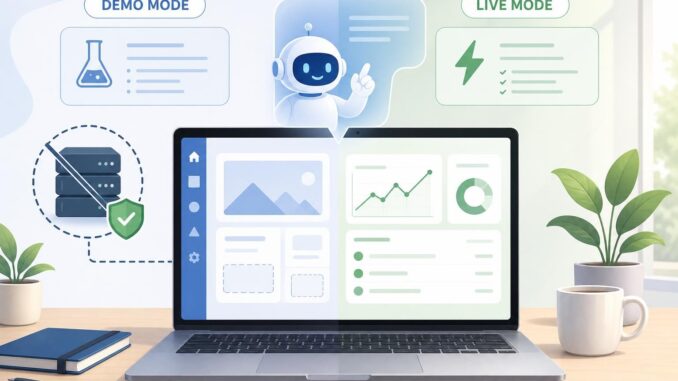
Interactive product demos that let users try your app with an AI assistant are a powerful way to convert visitors, collect feedback, and reduce friction for feature discovery. You don’t need to expose your production backend or rewrite services to let a visitor experiment. This tutorial shows three practical, code-light approaches you can use today: a sandboxed front-end with mocked responses, client-side connectors using ephemeral auth, and hosted/no-code demo platforms. Each approach includes step-by-step actions, examples, UX guidance, privacy considerations, and limitations.
Choose an approach: sandboxed front-end, client-side connector, or hosted demo
1) Sandboxed front-end with mocked responses (fast and safe)
What it is: a demo build of your app’s UI that runs entirely in the browser and simulates backend behavior. The AI assistant interacts with the demo UI and returns canned or scripted responses instead of calling real services.
Good for: early product demos, public landing pages, and features that are risky to expose (payments, user data, destructive actions).
Actionable steps
- Create a separate demo route or repository that contains only the UI components you want to show. Remove or disable any code that calls production APIs.
- Implement a mock API layer in the demo app. This can be a simple client-side adapter that returns static JSON, randomized plausible values, or pre-recorded sequences for multi-step flows.
- Wire the AI assistant to the demo UI via the same front-end events you use in production: send the assistant the demo state and let it produce actions that the mock API applies to the UI.
- Script fallback responses and edge cases: include error scenarios, rate-limit messages, and an explicit “This is a demo” banner so users know the results aren’t tied to a real account.
- Add telemetry that records user interactions and prompt histories for product research, but do not collect real credentials or personal data.
Example: demo a task-management app. The mock API returns a sample list of tasks and generates realistic timestamps. If the AI assistant says “create a task,” the demo adds it to the mock list, animates a success state, and shows a non-functional detail view.
Benefits and limitations
- Pros: fastest to build, safe, no risk of data leaks, ideal for public landing pages.
- Cons: not a connected experience; users can’t see real account data or integrated services.
2) Client-side connectors with OAuth-lite (live-feel without a full backend)
What it is: a browser-based connector that lets the AI assistant call real APIs directly from the client using short-lived or limited-scope tokens. It reduces backend work but requires careful design for security and privacy.
Good for: read-only demonstrations, account-limited features, and situations where users can safely authorize limited access.
Actionable steps
- Design minimal scopes: only request permissions required for the demo. For example, read-only list access instead of full write/delete scopes.
- Use browser-friendly flows that avoid storing long-lived secrets in the client. Implement OAuth PKCE or a device-code flow when available to obtain short-lived tokens without a client secret.
- Limit token lifetime and capability on the provider side where possible, and allow users to revoke the demo session easily from a visible button.
- Implement a permissioned UI: before the demo assistant performs any action that touches user data, show an explicit preview modal that requires consent for each sensitive action.
- Fallback UX: when a user declines permissions, provide a mocked or guided demo path so they can still explore the assistant’s capabilities without connecting an account.
Example: allow a visitor to connect a calendar read-only token so the AI assistant can suggest meeting times. Use a short-lived token restricted to free/busy queries; before scheduling, show a preview “AI will propose these times” and require an explicit confirmation that the demo will not create events.
Benefits and limitations
- Pros: feels live, demonstrates real integration behavior, requires less backend work than full server-mediated integrations.
- Cons: some providers disallow fully client-side flows for sensitive scopes; client-side tokens increase attack surface; must be strict about scopes, CORS, and token lifetime.
3) Hosted demo services and no-code platforms (low-effort deployment)
What it is: use specialized demo-hosting services or no-code platforms to assemble an interactive flow that includes an AI assistant and embeds your UI via screenshots, iframes, or live sandbox environments.
Good for: non-technical teams, marketing pages, and demos that need fast iterations and analytics without engineering time.
Actionable steps
- Map the user journey and identify the steps where the assistant should intervene (onboarding, feature highlights, hands-on tasks).
- Choose a platform that supports embedded interactions, conditional flows, and logging. Build the demo screens there and configure assistant prompts or decision trees.
- Control costs by limiting demo session length, restricting compute-heavy operations, and enabling quotas or rate limits per visitor.
- Test the exportability of transcripts and logs so product teams can follow up on leads or iterate on prompts.
- Ensure privacy settings are clear: disable data retention or anonymize session logs if you plan to share analytics outside your product team.
Benefits and limitations
- Pros: minimal engineering, fast to iterate, built-in analytics and UX components.
- Cons: recurring platform costs, limited customization, and possible vendor lock-in for demo-specific behaviors.
Practical UX and safety patterns
Design for trust and clarity
- Always label the session as “Demo Mode” when backend data is mocked or limited.
- Show clear permission banners when a connector requests any account access; summarize the exact scopes in plain language.
- Provide a simple “Revoke & Reset” button so visitors can end a live demo session and remove any token or local data.
Cost, abuse, and rate-control tactics
- Enforce session time limits and hard caps on expensive AI calls per session.
- Throttle repeated automated demos from the same IP or fingerprint to prevent cost abuse.
- Use lightweight models or cached assistant replies for common flows to reduce API spend.
Privacy and telemetry
Log prompt histories only when necessary and strip or anonymize user identifiers. If you collect transcripts for product improvement, present a simple opt-in checkbox that’s part of the demo entry flow.
Implementation checklist (quick)
- Decide demo scope: read-only, simulated, or connected.
- Pick your approach: sandboxed front-end, client-side connector, or hosted/no-code.
- Define minimal scopes and short token lifetimes for any live access.
- Implement explicit consent and visible demo-mode indicators.
- Add telemetry and abuse controls (rate limits, session caps).
- Design graceful fallbacks so exploration is still possible without live access.
FAQ
Can I safely demo features that normally require a production backend?
Yes. The safest option is a sandboxed front-end with mocked responses that mimics production behavior without touching real data or services. If you need a live feel, limit the demo to read-only operations with short-lived, minimal-scope tokens and clear user consent.
Do client-side OAuth flows expose secrets?
Properly implemented client-side flows avoid storing long-lived secrets in the browser. Use mechanisms like PKCE or device-code where possible, request minimal scopes, and keep token lifetimes short. When a provider requires a confidential client, you will need a lightweight backend to exchange secrets securely.
How do I control costs for AI calls in public demos?
Limit session duration, throttle repeated calls, serve cached assistant responses for common prompts, and choose cheaper model variants for demo sessions. Also monitor usage and apply per-session quotas to prevent runaway costs.
What should I show when a user declines to connect their account?
Offer a guided or mocked demo path: pre-populated sample data, a step-by-step tour driven by the AI assistant, or an interactive walkthrough that highlights features without accessing user accounts. This keeps conversion opportunities open while respecting privacy.
Conclusion
Interactive demos with an AI assistant are within reach without rearchitecting your backend. Sandboxed front-ends are the fastest and safest option, client-side connectors provide a live-feel when you need it, and hosted/no-code platforms let non-engineering teams ship demos quickly. Whichever path you pick, design for consent, limit scope and lifetime of any tokens, control costs, and provide graceful fallbacks so every visitor can learn your product—safely.